Build it: what does your child choose?
Let children create a quantity, notice their arrangements, and understand the game’s pattern feedback.
Updated October 7, 2026Open the game ↗An invitation to make the number
Build it checks what a child can construct after supported practice. Layouts, fingers, and grouping outlines supply visual cues during training. Build it removes those supplied cues and asks the child to make a quantity with their own placement.
The game supplies the target number; the child creates its representation. Our intended progression is to recognize small quantities, learn to combine two recognizable parts—often five and the remainder—and then use that structure independently.
This is an informal assessment through play. The game checks the total and can recognize some shapes; the adult observes the child’s strategy. There is no automated learning assessment or parent report.
Open Build it
From the menu to your first creation
Choose a numbered step, or use Next. Tap any screenshot to enlarge.
Choose Build it
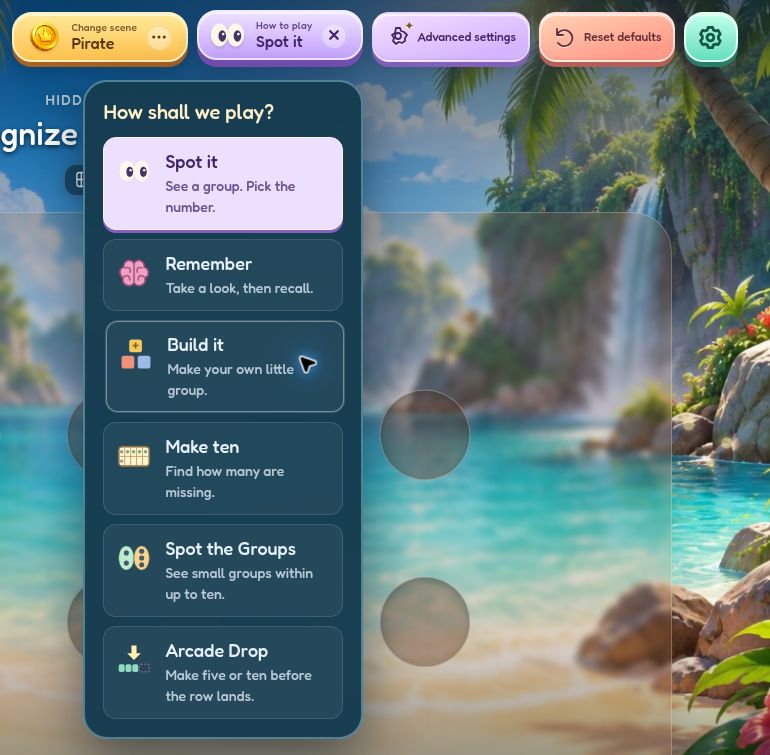
After Let’s explore!, open the purple How to play dropdown in the top toolbar. It shows the current mode, such as Spot it. Select Build it, the card with the colored blocks.
Pick an item
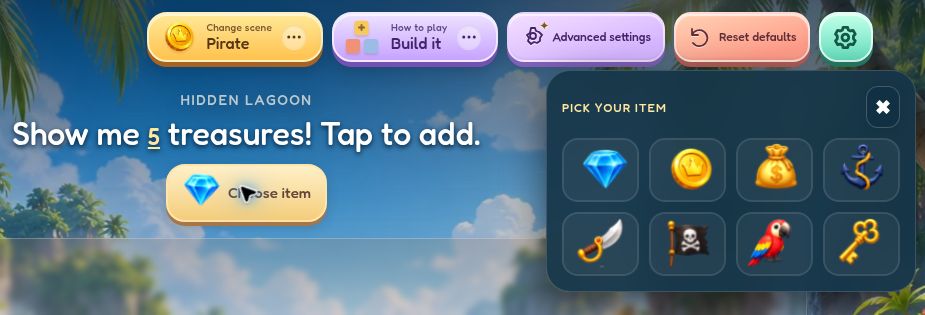
The toolbar now says Build it. Tap Choose item below the requested number, then pick a picture from the palette.
Build and check
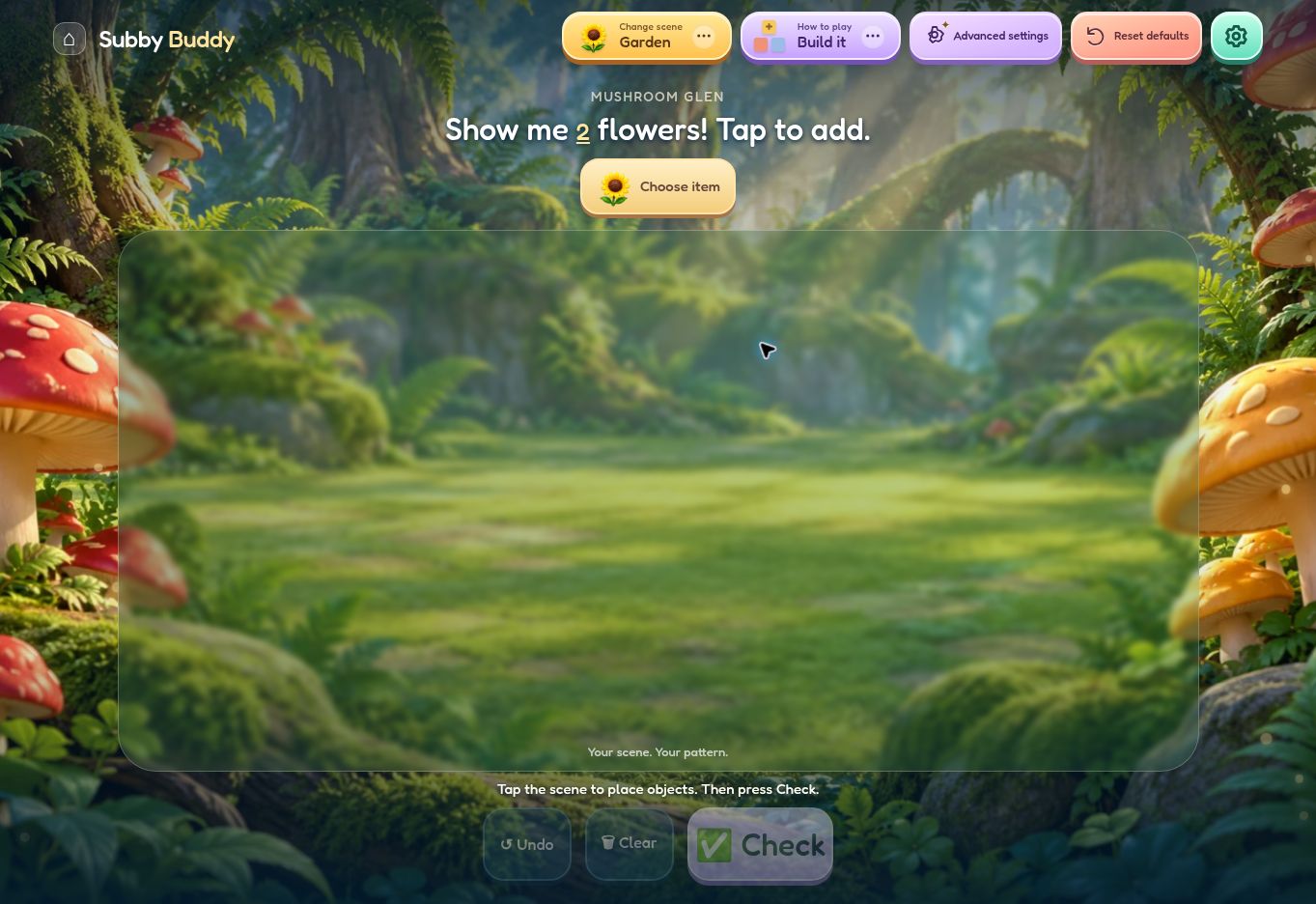
Tap empty positions in the scene to make the requested quantity. Before pressing Check, invite your child to explain the arrangement. Undo removes the last object; Clear empties the attempt.
On a small screen, tap the mode picture in the toolbar if the How to play words are hidden. No additional learning switches are needed to start building.
Build it alternates targets from 1–5 and 6–10, starting in the smaller range when its target picker is reset. Targets within each range vary. There is no timer. The disabled Max Items control shows 10, but it does not mean every target is ten and cannot be used to limit this mode to three or four.
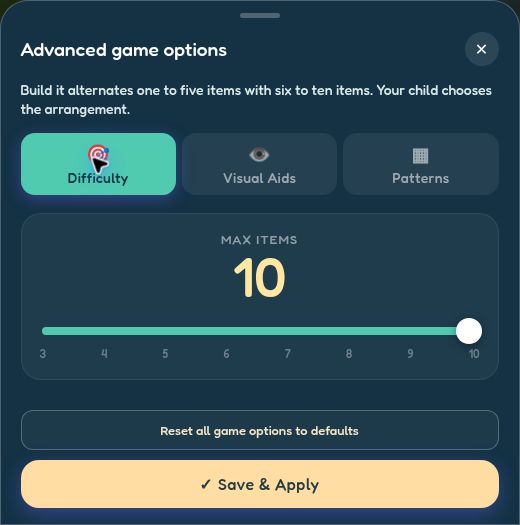
Tap positions deliberately. Placed objects are not draggable. Use Undo or Clear to rebuild before pressing Check. If the larger range is not enjoyable yet, return to Spot it with a smaller maximum or build your own chosen quantity with real counters.
Let the first arrangement belong to the child
Build it is intended as an assessment opportunity after training: can the child create the requested quantity and organize it using a structure they have learned? For larger quantities, our main teaching pattern is two groups, usually five and the remainder.
Begin with “Can you make the number Subby asks for?” Allow the first attempt without showing a model or suggesting five. Before Check, ask “Tell me about what you made.” Look for whether the child chooses a recognizable five and a second small group independently.
The examples below are for the adult to understand what to look for. Keep them out of view during the child’s independent attempt. They illustrate five-and-the-rest arrangements; they are not Build it screenshots or required answers.
Five and the rest: four examples
Choose a numbered example, or use Next. Tap any illustration to enlarge.
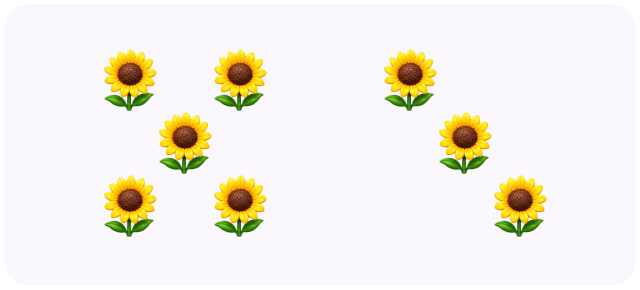
Eight
5 + 3 = 8. A familiar five forms one unit; the second group supplies the remaining 3. Look for whether the child chooses and explains these two parts without a prompt.
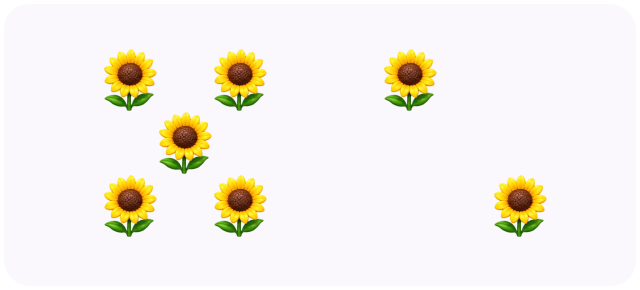
Seven
5 + 2 = 7. A familiar five forms one unit; the second group supplies the remaining 2. Look for whether the child chooses and explains these two parts without a prompt.
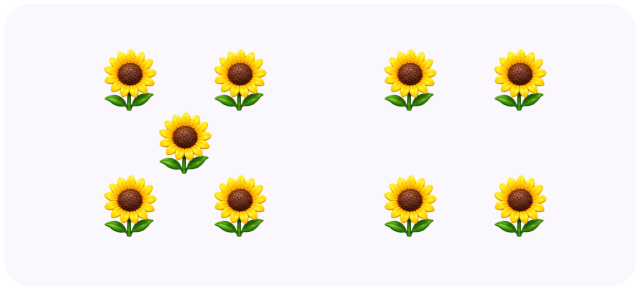
Nine
5 + 4 = 9. A familiar five forms one unit; the second group supplies the remaining 4. Look for whether the child chooses and explains these two parts without a prompt.
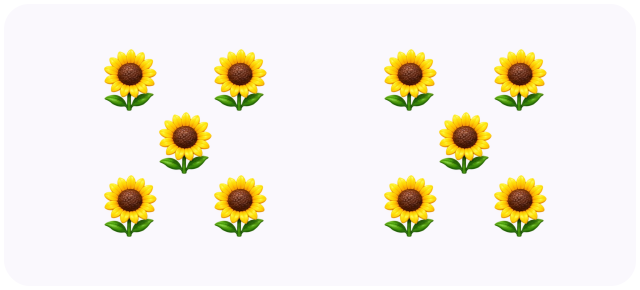
Ten
5 + 5 = 10. A familiar five forms one unit; the second group supplies the remaining 5. Look for whether the child chooses and explains these two parts without a prompt.
If you show an example or suggest how to group the objects, that attempt becomes training with support. It is still useful; try a fresh quantity later without the model to check independent use. Other correct arrangements still count as correct quantities, and you can ask the child to explain them.
What Check actually checks
| Feedback | What it means |
|---|---|
| The round succeeds | The number of placed objects matches the target. Any arrangement can succeed. |
| A shape or pattern is named | The placement also matches one of the game’s geometric rules. Subby may trace and name it. |
| Correct quantity, no named pattern | The amount is still correct. A meaningful arrangement may fall outside the detector’s rules. |
| Add more or take one away | The placed count differs from the target. The child can revise the attempt. |
The detector looks for dice patterns, lines, triangles, squares, rectangles, circles, and matching rows. It can also recognize two sufficiently separated dice patterns for totals seven through ten. Recognition depends on spacing and alignment. It does not recognize every valid grouping or explain how the child arrived at the total.
A named pattern is useful feedback during this assessment activity, but it is not enough to establish understanding. Combine the result with the child’s explanation and whether the arrangement was made independently. An unnamed arrangement can still express a thoughtful grouping.
Look for reasoning across several occasions
| What you notice | A question to explore it |
|---|---|
| Counts every object accurately | “How many did you make altogether?” |
| Makes small clusters | “How many are in this part? And this part?” |
| Starts with a known group and adds on | “What did you start with? What did you add?” |
| Chooses a familiar pattern without a model | “What made you choose that arrangement?” |
| Can show the same total differently | “What changed? How do you know the amount stayed the same?” |
Ask before Check, because a successful round advances automatically. To revisit the exact same quantity after success, use real objects; the next game target may differ. You can use Clear before submission to try a second arrangement of the current target.
A useful parent note is specific: “Made eight as five and three, explained both parts without a prompt; counted again when rearranged.” Avoid treating a single round, speed, or a pattern announcement as proof of learning.
Try the idea away from the screen
Ask your child to arrange large blocks so another person can tell how many there are. Change the objects or spacing later and ask again. This gives you another opportunity to hear their reasoning outside the game. Use safe objects and stop when the activity stops being enjoyable.
Build it does not create a parent learning report or store an assessment of grouping strategies. Your conversation supplies context the game cannot infer.